Syteca Management Tool Logs
NOT AVAILABLE IN SAAS
This article explains how to collect the Management Tool log files to use for your own investigative purposes, or to send to the Syteca Support Team.
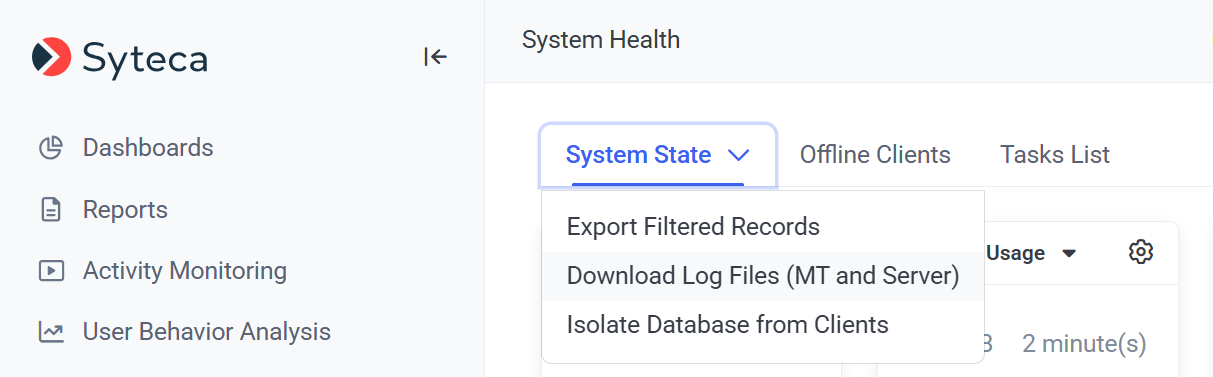
To download the Management Tool log files from the Management Tool, open the System Health page, and click the System State .png?inst-v=4216df1b-4a3c-423e-98f7-f665fcd7b375)
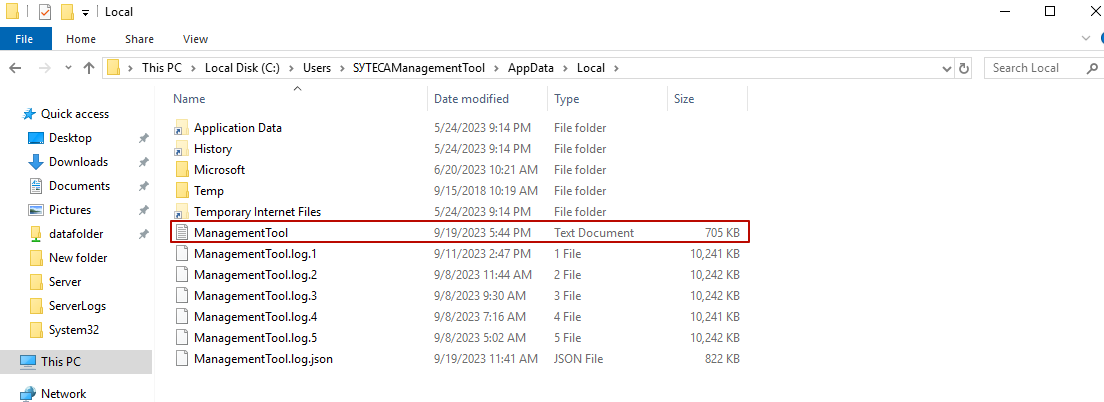
If you do not have access to the Management Tool, you can alternatively find the log files on the computer where the Management Tool is installed in the following folder: C:\Users\SYTECAManagementTool\AppData\Local.