Installing Linux Clients Using the Installation File in RPM Format
NOT AVAILABLE IN SAAS
This type of installation is an alternative for Red Hat (e.g. RHEL and CentOS) distributions that allows you to install the standard Linux Client (which is also SELinux-compatible) with default parameters locally from the command line by using RPM Manager with the downloaded installation package in the .rpm format.
To install the Linux Client on a target computer running a Red Hat operating system from the command line using RPM Manager with the downloaded installation package in the .rpm format, do the following:
1. Copy the installation package to any folder (making sure you use the correct installation package in .rpm format).
2. Run the Terminal.
3. Using the Terminal, navigate to the folder with the installation package in .rpm format by entering the following command:
$ cd <Path_to_folder>
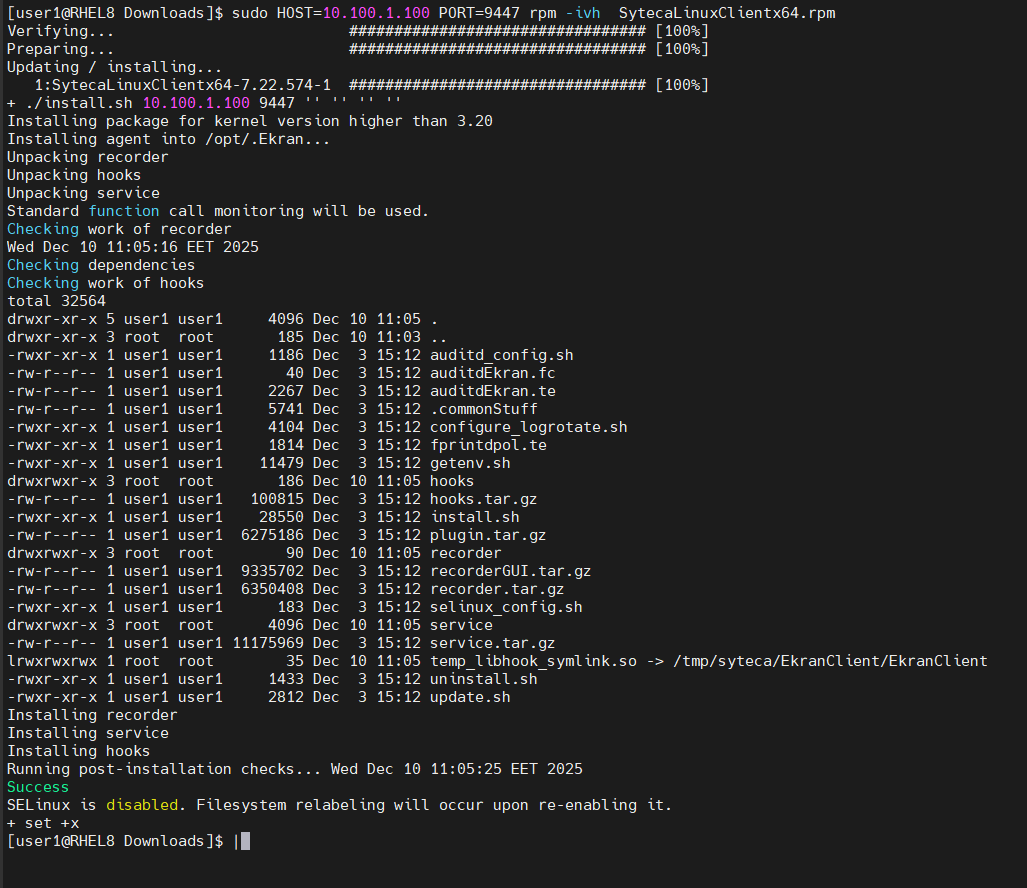
4. Run the Linux Client installation package in .rpm format, specifying the Application Server name or Application Server IP address and the port used for connection to the Application Server (where port 9447 is recommended) by running the following command:
$ sudo HOST=<Server_name_or_Server_IP_address> PORT=<Server_port> rpm -ivh SytecaLinuxClientx64.rpm
If Multi-Tenant mode is enabled, also specify the TENANT_KEY parameter along with the <Tenant_key_value> for the required tenant by running the following command:
$ sudo HOST=<Server_name_or_Server_IP_address> PORT=<Server_port> TENANT_KEY=<Tenant_key_value> rpm -ivh SytecaLinuxClientx64.rpm
NOTE: In Multi-Tenant mode, the tenant key can be copied from the Management Tool (on the Tenants page) by the administrator of the built-in default tenant (where if a tenant key is not specified, the Client will be installed on the built-in default tenant).
Optionally, to also enable monitoring of the GUI (in X11 sessions), also specify the WITH_UI parameter, for example:
$ sudo HOST=10.100.1.100 PORT=9447 WITH_UI=1 rpm -ivh SytecaLinuxClientx64.rpm - The Client connects to the Application Server with IP address 10.100.1.100 through port 9447, with monitoring of the GUI (in X11 sessions).
If Multi-Tenant mode is enabled, also specify the TENANT_KEY parameter and the <Tenant_key_value> value for the required tenant by running the following command:
$ sudo HOST=Server1 PORT=9447 WITH_UI=1 TENANT_KEY=90807A10-DF80-45EA-A7DE-A550B55F548A rpm -ivh SytecaLinuxClientx64.rpm - The Client connects to the Application Server with the name Server1 through port 9447, with monitoring of the GUI (in X11 sessions). The Client belongs to the tenant with the specified tenant key.
5. After the Client is installed, it is displayed in the list of Clients on the Clients page (in the Management Tool), and will start monitoring a new session the next time a user logs in.